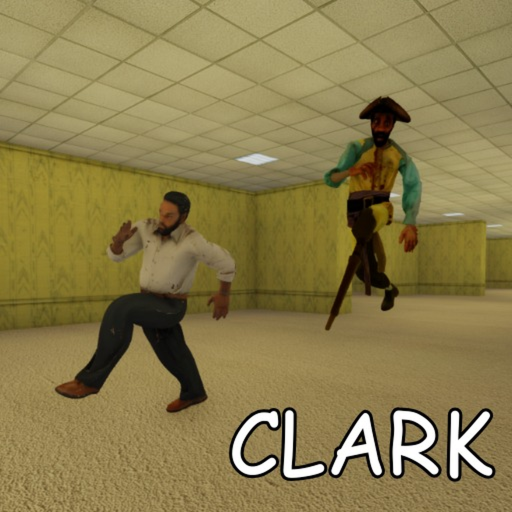
How to Redeem Clark Huss rooms Codes
Step-by-step guide to redeeming promo codes in Clark Huss rooms on Roblox PC, mobile, and console when the feature goes live.
Redeeming promo codes in Roblox games looks simple until you are mid-run in a horror experience with a locked server and no pause menu. Clark Huss rooms has not enabled code redemption during early access, but players who understand the process ahead of time will redeem rewards in seconds when mothem_XD flips the switch. This guide covers expected UI locations, platform differences, and troubleshooting — without pretending a redeem button already exists.
Before you look for a code box
Confirm three things on our codes hub:
- A code is verified active — we do not list speculative strings.
- You know the exact spelling — Roblox codes are usually case-sensitive.
- The code has not expired — event codes often last 24–72 hours.
If our codes page shows no active entries, there is nothing to redeem regardless of what a YouTube thumbnail claims. Save your time for first-run preparation instead.
Expected redemption flow (when live)
Most Roblox horror titles place code entry in one of these places:
- Pre-run lobby UI before the first door locks the server.
- Settings or gear icon accessible from a safe menu state.
- Dedicated “Codes” button on a side panel added in a future update.
Because Husrooms locks the session once the first door opens — mirroring classic GMOD Rooms design — redemption will almost certainly happen before your squad starts a run. Plan to redeem in the brief window after joining a server and before anyone interacts with the entrance door.
Step-by-step (anticipated)
- Launch Clark Huss rooms on Roblox during a live server window. Avoid redeeming during shutdown-for-update periods listed on our updates page.
- Join a server with friends if you coordinate runs — but redeem before the run starts.
- Open the codes menu using the in-game button mothem_XD adds. Exact label TBD; we will update this guide with screenshots on launch day.
- Type or paste the code exactly as published on our codes hub. Remove accidental spaces from mobile clipboard pastes.
- Confirm redemption and check your inventory, badge list, or notification toast for the reward.
- Screenshot successful redemption if you report issues to community moderators — helps distinguish user error from broken codes.
Platform-specific notes
PC (keyboard and mouse)
PC players have the easiest redemption experience: precise typing, fast clipboard paste with Ctrl+V, and clear UI scaling. If a code fails, retype manually instead of repasting — invisible Unicode characters sometimes hitchhike from Discord mobile copies.
Learn your PC controls before horror runs so you are not hunting keybinds during a Clark chase right after redeeming.
Mobile (touch)
Mobile Roblox players should rotate to landscape if the game supports it during lobby states — wider UI reduces mis-taps on small code fields. Use the official Roblox app paste function rather than third-party keyboards when possible.
Mobile horror is harder overall; read our mobile controls guide for sprint and interact layouts that stay muscle memory during panic moments.
Console (Xbox, PlayStation)
Console players redeem through on-screen keyboard interfaces. Typing long codes with a controller is tedious — copy codes to a phone notes app and transcribe carefully, or use platform messaging to shuttle strings between devices.
Console users also benefit from reviewing entity sound cues because visual clarity can be lower on living-room displays.
Common errors and fixes
| Message (typical) | Likely cause | What to do |
|---|---|---|
| Invalid code | Typo, expired code, or fake string | Re-check our codes hub; retype manually |
| Already redeemed | One-time account limit | Expected behaviour; codes rarely work twice per account |
| Feature unavailable | Game updating or code system disabled | Check updates for shutdown notices |
| Nothing received | Delayed inventory sync | Rejoin server; verify reward type (badge vs cosmetic) |
If a verified code fails for many players simultaneously, mothem_XD may have pulled it early. We strike expired entries within hours and note the retraction on the codes hub.
Security reminders
Never share your Roblox password to “redeem codes for you.” Legitimate codes require only the in-game text field tied to your logged-in session. Ignore DMs offering exclusive codes in exchange for account credentials — they are phishing attempts unrelated to Husrooms.
Similarly, avoid executors or “code finder” scripts promoted on scripts hubs. They violate Roblox Terms of Use, risk account action, and cannot summon codes the developer has not published.
What to do while waiting
Early access prioritises core horror loops over live-ops tooling. Use the waiting period productively:
- Study the Clark entity profile so entity knowledge outweighs cosmetic rewards.
- Review the entity tier list to understand threat priorities.
- Walk through how to play for GMOD Rooms-inspired mechanics.
Codes will feel like a celebration when they arrive — not a requirement to enjoy the experience.
When this guide updates
We commit to same-day revisions when mothem_XD ships redemption UI. Updates will include annotated screenshots, exact menu paths, and any platform quirks discovered during verification. Subscribe to the community server linked from the Roblox page for instant pings, and bookmark the updates hub for patch-day shutdown schedules.
Redemption is a convenience layer on top of skill. Master flashlight batteries, multiplayer coordination, and map navigation now — and treat future codes as a welcome bonus when they land.
Frequently Asked Questions
Quick answers to the most common questions.
Can I redeem codes mid-run after the door locks?
Unlikely. Husrooms locks servers once runs begin. Expect redemption in pre-run lobby states only.
Are Clark Huss rooms codes case-sensitive?
Probably yes — most Roblox codes are. Type exactly as shown on our verified codes hub.
Why is there no redeem button yet?
Early access launched without a code system. mothem_XD may add one after core stability patches.
Do codes work on private servers?
Unknown until rules publish. Typically Roblox promo codes work on standard public servers only.
Can I redeem on mobile?
Yes, once the feature exists. Use careful paste habits and our mobile controls guide for smoother sessions.
What if a verified code fails?
Retry manual entry, confirm the code has not expired on our hub, and check updates for shutdown windows.