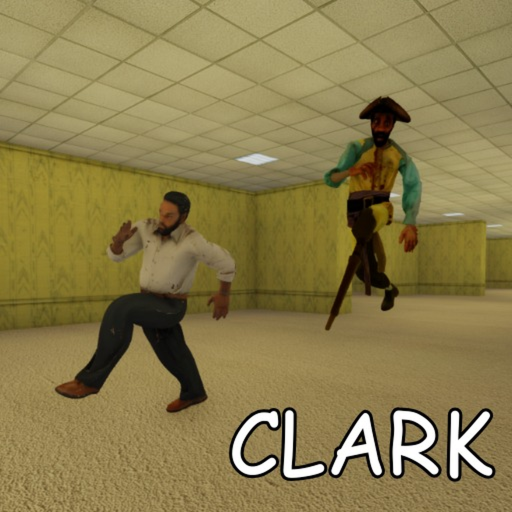
Console and Xbox Controls — Clark Huss rooms
Xbox and console controller controls for Clark Huss rooms on Roblox — LT/L2 sprint, interact buttons, gamepad horror tips, and platform-specific survival discipline.
Console runners face the same server lock and Clark pressure as PC players — but with gamepad inputs that Roblox maps differently per experience. Clark Huss rooms uses standard Roblox gamepad bindings during early access unless mothem_XD adds custom control hints in future patches. This page documents Xbox and console controller expectations for 31 July 2026 builds and links to PC controls and mobile controls for cross-platform squads.
Default Xbox controller bindings
Roblox gamepad support applies platform-wide. Confirm your exact mapping in Roblox Settings → Gamepad after joining Husrooms, because developers can override defaults.
| Action | Common Xbox mapping | Husrooms notes |
|---|---|---|
| Move | Left stick | Smooth movement reduces audio footprint |
| Camera look | Right stick | Lower sensitivity helps steady corridor scanning |
| Jump | A | Situational in tight halls |
| Sprint | LT / L2 (hold) | Most common Roblox horror sprint bind |
| Interact | X / Square or context prompt | Critical for first door — triggers server lock |
| Flashlight toggle | Often RB / R1 or tool button | Verify in-game hint at spawn |
| Menu | Menu button | Roblox overlay |
Some Roblox experiences map sprint to left stick click (L3) instead of LT. If LT does nothing, check the in-game control screen or Roblox gamepad settings.
Sprint discipline on controller
Left trigger sprint is stamina-dependent — the same resource tension PC players manage with Left Shift. Console-specific challenges:
- Stick drift can cause accidental movement noise — calibrate or replace worn controllers.
- Sprint + camera on one thumb each is harder than keyboard-mouse peeking — plan routes before chases.
- Burst sprint beats holding LT through entire corridors — see survive Clark for routing.
Training progression for console:
- Walk by default in unexplored segments.
- Sprint only on confirmed clear distances or agreed squad callouts.
- Release LT before corners to reduce footstep tail audio.
Interact and first-door discipline
Opening the first progression door triggers permanent server lock. On controller, interact is typically X (Square on PlayStation) when facing prompts.
Squad rules for console groups:
- Agree verbally before anyone presses interact.
- Designate one door caller — same as multiplayer guide PC squads.
- Do not spam interact near prompts — Roblox can queue unintended interactions.
If prompts fail, adjust camera angle and proximity. This is common Roblox behaviour, not Husrooms-specific.
PlayStation and other consoles
PlayStation DualSense and other gamepads map similarly through Roblox:
| Xbox | PlayStation equivalent |
|---|---|
| A | Cross (X) |
| B | Circle |
| X | Square |
| Y | Triangle |
| LT | L2 |
| RT | R2 |
Sprint is typically L2 hold on PlayStation. Nintendo Switch Pro Controller follows Xbox-style face button layout in most Roblox configs.
Console versus PC in squads
Mixed-platform squads are common in Roblox. Console players often call directions differently — “left stick forward” versus “W key.” Standardize callouts using map directions (left corridor, right junction) instead of input names.
Console disadvantages in Husrooms horror:
- Fine corner peeking is slower than mouse aim.
- Flashlight toggle may require moving thumbs off movement sticks.
- Voice chat setup varies by platform — confirm Party Voice before lock.
Console advantages:
- Comfortable long sessions on couch setups.
- Trigger sprint feels natural once muscle memory builds.
- No keyboard fumble during panic moments.
Video: controller horror pacing
Rooms-style horror on gamepad rewards calm stick movement over panic sprinting. The overview below shows procedural hall flow — apply the same pacing on LT sprint.
Practice sprint bursts in the spawn lobby before your squad opens the first door.
Before your next console run
- Confirm sprint binding (LT vs L3) in Roblox gamepad settings.
- Set right-stick sensitivity for steady scanning.
- Test interact and flashlight in spawn safe zone.
- Read server lock guide with your squad.
- Review first-run guide for lobby timing.
Related pages
- PC controls hub — keyboard and mouse defaults.
- Mobile controls — touch layouts.
- How to play — mechanics layered on bindings.
- Entity sound guide — audio cues console players must hear.
Console controls are not a handicap — they are a different input language for the same yellow halls. Learn LT discipline and Clark becomes readable on any platform.
Frequently Asked Questions
Quick answers to the most common questions.
How do you sprint in Clark Huss rooms on Xbox?
Most Roblox horror games map sprint to LT/L2 hold on Xbox. Verify in Roblox gamepad settings or the in-game control hint.
What button interacts with doors on console?
Typically X on Xbox or Square on PlayStation when facing prompts. Confirm at spawn.
Are console controls different from PC?
Same mechanics, different inputs. Server lock and entity rules apply equally.
Can I play Husrooms on PlayStation?
Yes, through Roblox on PlayStation with gamepad bindings similar to Xbox.
Is controller harder for Husrooms horror?
Fine peeking is harder than mouse, but sprint and movement are fully viable with practice.
Where are mobile controls documented?
See our dedicated mobile controls page for touch layouts.