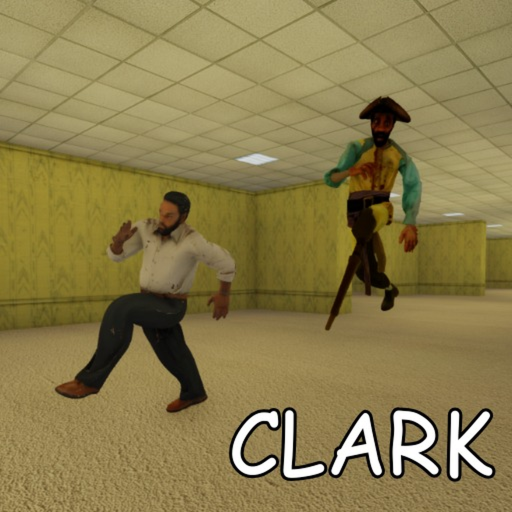
Sprint Is a Resource, Not a Movement Mode
Walk by default, burst sprint with purpose, and let stamina recharge before Clark reads your noise profile.
August 2026 search traffic for Clark Huss rooms clusters around one question: how do I sprint without dying? The answer is not a hidden button — it is discipline. mothem_XD’s GMOD Rooms-inspired horror ties sprint to stamina, and stamina drain creates the exact noise profile Clark tracks. As of 1 August 2026, still on the 22 July 2026 public build, sprint mechanics remain core survival skill — not a toggle you hold through entire corridors.
This guide documents sprint bindings on every platform, stamina bar habits, and when burst sprint beats walking. Pair it with survive Clark, flashlight batteries, and the entity sound guide.
Why sprint kills more runs than Clark
Clark Huss rooms punishes careless movement. Sprint is not free speed — it is a limited resource that:
- Drains a visible stamina bar (typically bottom-right on screen).
- Produces louder footstep audio Clark and mix design amplify.
- Encourages panic routing into unknown T-junctions.
- Masks directional audio cues you need to hear first.
Walking by default keeps stamina full, audio clear, and routing deliberate. Sprint only when you have a reason — confirmed exit junction, squad callout, or guaranteed contact if you stay still.
Platform sprint bindings
PC keyboard
| Action | Default key | Husrooms notes |
|---|---|---|
| Walk | WASD | Default movement — use this in unexplored halls |
| Sprint | Left Shift (hold) | Stamina-dependent; see burst discipline below |
| Jump | Space | Situational; can telegraph position |
Confirm bindings in Roblox Settings → Keyboard & Mouse if remapped globally. Full PC context on the controls hub.
Xbox and PlayStation controller
| Action | Common mapping | Husrooms notes |
|---|---|---|
| Walk | Left stick | Smooth movement reduces audio footprint |
| Sprint | LT / L2 (hold) | Most common Roblox horror sprint bind |
| Alternate sprint | L3 (stick click) | Some configs — verify in-game hint at spawn |
If LT does nothing, check Roblox gamepad settings or the pause menu control screen. Full console context on console / Xbox controls.
Mobile touch
Roblox mobile layouts vary. Sprint is typically a dedicated on-screen button or double-tap run gesture depending on client version. See mobile controls for touch-zone tips. Mobile runners face harder camera work during chases — bias toward walking and pre-planned routes.
Reading the stamina bar
The stamina UI behaves like classic Rooms lineage:
- Full bar — sprint available; still prefer walking in unexplored segments.
- Draining — you are sprinting; release before corners to reduce footstep tail.
- Empty — forced walk until recharge; worst state during Clark pressure.
- Recharging — walk or stand still; do not spam sprint taps.
Training tip: in early lobby or safe segments, sprint once and watch how long recharge takes on your platform. Muscle memory for recharge timing prevents mid-chase empty-bar panic.
Burst-sprint discipline
Hold sprint through entire corridors is the most common beginner mistake. Use burst sprint instead:
- Walk by default in unexplored yellow halls.
- Sprint 2–3 seconds toward confirmed geometry — corner, door frame, junction.
- Release before the corner — break line of sight on foot, not on empty stamina.
- Walk while recharging — listen for Clark audio during recharge windows.
- Repeat only with purpose — not because fear demands constant speed.
This pattern pairs with survive Clark routing: structured distance toward cover, not endless open-hall running.
When to sprint — and when not to
Sprint when
- A confirmed exit junction is within reach and you have stamina budget.
- Teammates call a cleared path you trust — see multiplayer guide.
- Staying still guarantees contact with no cover nearby.
- You are breaking line of sight at a known corner with stamina to spare.
Do not sprint when
- Exploring unknown T-junctions — you may sprint into Clark or a dead end.
- Flashlight battery is critical — disorientation plus empty stamina is lethal.
- Audio suggests rear pressure — stop and listen first; see entity sound guide.
- Squad is not coordinated — overlapping sprint noise stacks in groups.
- Server has not locked yet — sprinting in lobby wastes nothing but sets bad habits before server lock.
Sprint, noise, and Clark
Clark behaves like a patient stalker — he listens before he commits. Sprint noise is a deliberate tell in Backrooms-style audio design:
- Footsteps pitch up when sprinting versus walking.
- Open straightaways amplify sprint audio down long corridors.
- Panic sprint into dead ends removes retreat options while advertising position.
Headphones strongly recommended. Directional audio tells you where Clark is before your eyes do — TV speakers hide the cues sprint noise competes with.
Squad sprint coordination
Multiplayer adds noise stacking. Rules for groups:
- One sprinter at a time through pressure zones unless escaping together on callout.
- Rear listener walks — see multiplayer guide rear guard role.
- Call stamina state — “battery low” and “stamina burned” are valid callouts.
- Agree on burst distance before opening the first door — prevents three players sprint-blind into the same junction.
Run lock means no mid-run reinforcements. Sprint discipline in the lobby predicts squad survival after lock.
Common sprint mistakes (August search traffic)
| Mistake | Fix |
|---|---|
| Holding Shift/LT through entire halls | Burst sprint only with purpose |
| Sprinting with empty stamina bar | Walk until recharge completes |
| Sprinting while battery critical | Fix light first — see flashlight guide |
| Ignoring Xbox LT binding | Verify at spawn — see console controls |
| Expecting infinite GMOD Rooms stamina | Husrooms early access may tune drain — re-test after patches |
Video: sprint pacing in Rooms-style horror
The clip below shows procedural hall flow where calm movement beats panic sprinting. Apply the same burst discipline on your platform bindings.
Practice one run where your only goal is three burst sprints with full recharge between each.
Patch awareness
Early access means stamina drain and footstep mix can shift between shutdowns. mothem_XD’s shutdown = update rhythm continues through August 2026. After any patch:
- Re-test sprint binding at spawn.
- Re-time stamina recharge in a safe segment.
- Skim updates hub and August 1 status for verified changes.
We update this guide when repeated public lobby observation confirms tuning changes — not from datamine-only claims.
Related pages
- Survive Clark — chase routing when sprint is not the answer.
- Controls hub — full binding reference PC, mobile, console.
- Entity sound guide — audio cues sprint noise masks.
- Server lock guide — lobby discipline before the first door.
Sprint is not cowardice and walking is not weakness. In Husrooms, stamina discipline is survival — master burst sprint and Clark becomes readable instead of random.
Frequently Asked Questions
Quick answers to the most common questions.
What key do you sprint with on PC in Clark Huss rooms?
Default Roblox PC sprint is Left Shift (hold). Confirm in Roblox Settings if remapped.
How do you sprint on Xbox in Husrooms?
Most Roblox horror games map sprint to LT/L2 hold. Verify in gamepad settings or the in-game control hint at spawn.
Does sprint have unlimited stamina?
No. Sprint drains a stamina bar. Walk to recharge before the next burst.
Why does sprint attract Clark?
Sprint produces louder footstep audio — Clark listens and punishes careless noise in Backrooms-style design.
Should I sprint in unknown corridors?
No. Walk by default; sprint only toward confirmed cover or exit junctions.
Has sprint changed since launch?
No verified binding changes through 1 August 2026. Drain tuning may shift silently — re-test after patches.